
Guides · 10 / 10
Free and Pro
LingoWonders has no subscription, no ads and no account. Most of it is free. Pro is a one-time purchase, and one Pro covers the whole family through Family Sharing.
Step 1: What is free
- Every practice mode: listen, flashcards, writing on screen, dictation, and the read-aloud score.
- Stroke-order animation and the stroke-by-stroke writing check.
- Lists and the Library, with HSK 3.0 levels 1–3 (about 2,200 words).
- Photo word lists, unlimited.
- All the built-in stories, and a daily allowance of your own readings.
- Practice sheets: page 1 of each sheet, as many as you like, with a small QR. Test sheets: every page.
- Week Pack: 3 packs and 60 sentence words in total. Paper Check: 3 checks.
- Sharing lists by link, QR code or file.
Step 2: What Pro adds
- Every page of every sheet, stroke-order sheets and strips, and the Combined PDF.
- More fonts (标准楷书 textbook kai, School print, Sloped print), coloured trace ink and trace fade, and the choice to drop the QR.
- Read without limits: unlimited readings, longer texts, more recordings, and recording the whole piece.
- Week Pack: 10 packs and 200 sentence words a week, new packs of the same list, and past weeks.
- Paper Check beyond the 3 free ones, HSK 4–6 decks, and more profiles.
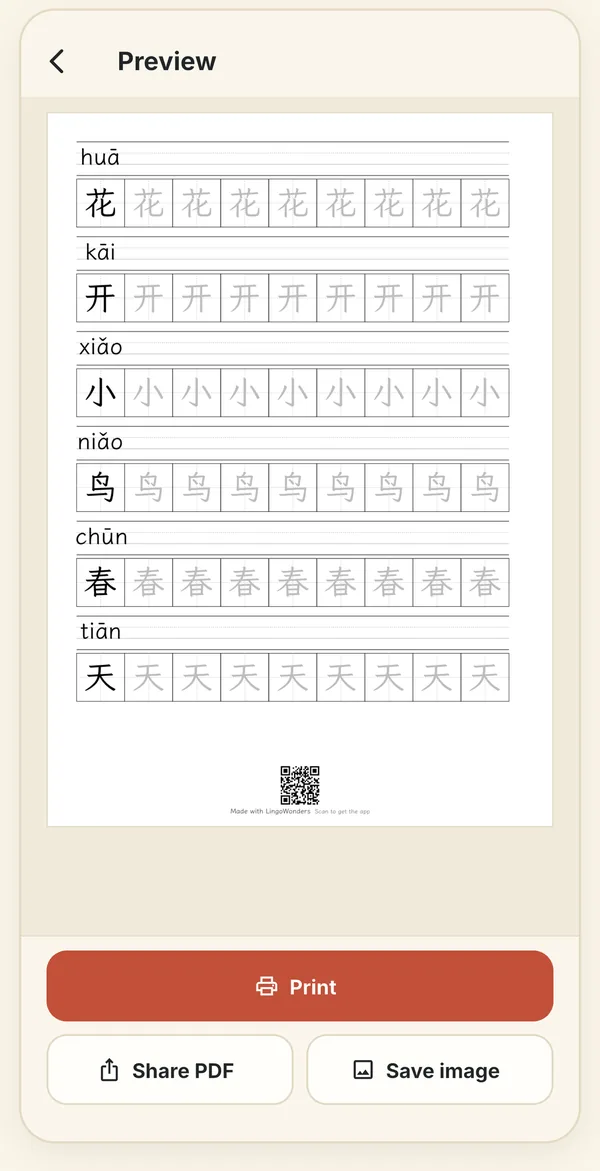
A free sheet: page 1, with a small QR at the bottom. Step 3: Try before you buy
Pro sheet options can be tried in the preview, which shows page 1. Use free options switches back in one tap. Settings › Free and Pro shows the full list in the app.
Step 4: Restore Pro on a new device
Sign in with the Apple ID that bought Pro, then tap Settings › Restore purchases. Family Sharing shares Pro with your family.
Still stuck? The app has its own Help & FAQ under Settings, or write to [email protected]. A real person reads every message.